

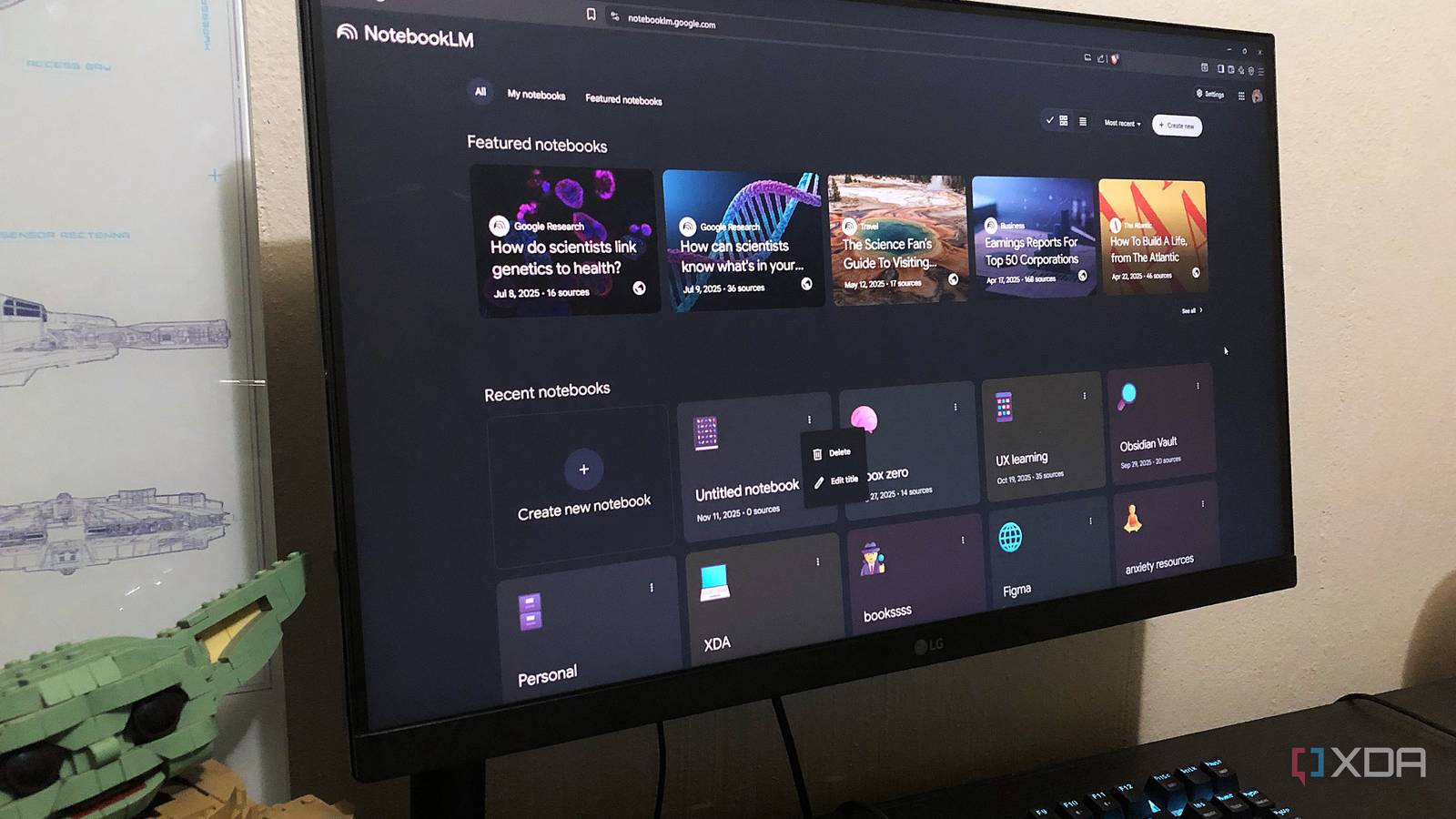
● NotebookLM Shakes Up Notion, Disrupts Productivity, Triggers Economic Shift
NotebookLM Begins to Replace Notion: Key Feature Transition, Limitations, and Impact on Enterprise, Productivity, and AI Trends
This article examines which Notion features are actually being replaced by NotebookLM, to what extent replacement is impossible, a migration guide and prompt tips that productivity and knowledge management practitioners can apply immediately, and important economic and industry implications often overlooked by other media.
Key Contents — Major Features Replaced by NotebookLM (notes, research document management, data extraction), Limitations (calendar, dashboard, customization), Practical Transition Checklist, Prompt Examples, Security and Data Ownership Issues to Consider When Introducing to Enterprises, and Analysis of AI Trends and Global Productivity (Economic) Impact.
News Summary — 6 Things You Need to Know Right Now
1) NotebookLM is rapidly replacing significant use cases of Notion in personal knowledge management (PKM).
2) Replaceable functions include note taking, research document uploading, document-based Q&A, mind map visualization, and data extraction (including table-type results).
3) Non-replaceable parts are user-customized dashboards, views such as widgets, galleries, kanbans, and calendar integration.
4) To use NotebookLM as a ‘note app,’ source name organization, a workflow for saving key responses as notes, and basic prompt engineering are essential.
5) Considerations for enterprise adoption include data ownership, internal search and auditing (compliance), and limitations on offline accessibility.
6) From an economic and market perspective, the spread of AI-based PKM tools like NotebookLM is likely to lead to increased productivity for knowledge workers and longer-term changes in the SaaS ecosystem and corporate software demand structure.
Detailed Analysis — What Features Are Replaced and Why They Matter
Note (Basic Writing and Storage)
NotebookLM’s Notes feature provides rich text editing and allows AI responses to be immediately saved as notes, replacing Notion’s simple page storage feature.
Key Point: The AI in NotebookLM excels in understanding context and summarization, naturally creating a ‘question→answer→summary’ flow beyond mere note storage.
Document and Research Management
PDFs, Markdown, Google Docs, and other sources can be uploaded and searched or queried instantly.
Key Point: Without building a database in Notion, you can extract necessary information in table, list, or summary form with AI prompts, significantly reducing setup and maintenance costs.
Database and Table Replacement
NotebookLM offers ‘prompt-based data extraction’ instead of interactive tables.
Key Point: While it lacks automated dashboards or real-time filtering capabilities, it can quickly organize and export information in the desired format (e.g., CSV, table), which is practical for many users.
Limitations and Absolutely Irreplaceable Items
Dashboard, Widget, Image-Centric Work
NotebookLM does not provide custom widgets, images, or various views (Gantt, calendar, Kanban, etc.).
Calendar Integration
At this stage, NotebookLM does not support calendar integration, making it impossible to complete project scheduling within one app.
Offline and History Management
The lack of chat history and offline accessibility is a drawback for team collaboration and long-term archiving purposes.
Practical Transition Guide — Step-by-Step Checklist
1) Analyze current Notion data: Identify the most used databases, dashboards, and calendars.
2) Classify items transferable to NotebookLM: Prioritize the transfer of document-based, research-based, and note-centered items.
3) File Organization and Naming Rule Establishment: Since NotebookLM automatically assigns source names, a consistent naming system is necessary at the initial stage.
4) Prepare Prompt Templates: Template frequently asked queries and data extraction formats.
5) Establish a Core Response Saving Routine: Immediately save important summaries and insights to Notes.
6) Set Backup and Export Policies: Regularly export and back up in CSV and PDF formats.
Practical Prompt Engineering Examples
Simple Summary Request: “Summarize the three main arguments of this PDF in two sentences each.”
Create a Research Comparison Table: “Create a table in CSV format with the headings ‘Advantages,’ ‘Limitations,’ and ‘Practical Recommendations’ from these notes.”
In-depth Question: “When claim A contradicts claim B in this document, evaluate which is more convincing based on evidence.”
Security, Data Ownership, and Enterprise Adoption Checklist
Data Ownership and Access Control
Enterprises should verify the storage location, permission management, and deletion policy of uploaded documents.
Compliance and Audit Trails
Lack of audit logs and version control can be a barrier for companies with regulatory requirements.
Need for Internal Search and Integration
If integration with internal wikis, ERP, emails, etc., is required, NotebookLM alone may not be sufficient.
Economic and Industry Implications — Key Insights Not Often Mentioned by Other Media
Productivity Improvement and GDP Impact
AI-driven personal knowledge management reduces information search and organization time for knowledge workers.
Key Insight: In an OECD-level economy, a 1% productivity increase for knowledge workers can have a significant impact on long-term GDP growth.
Restructuring of the SaaS Market
Comprehensive platforms like Notion might lose some market share to emerging AI tools due to ‘maintenance costs’ and ‘setup complexity.’
Key Insight: Entry of large platforms like Google’s NotebookLM could trigger a ‘restructuring of existing tool revenue models.’ Especially, the competitive landscape for small and medium-sized enterprise subscription models may change.
Data Ownership Competition and Business Models
Ownership and copyright issues of insights produced by AI from documents may evolve into litigation and regulatory issues in the future.
Exclusive Insight: The spread of NotebookLM will increase the market value of those knowledgeable in ‘prompt design and data structuring,’ connecting back to an expansion of the consulting and education markets.
Practical Application Tips — 7 Things to Utilize Immediately
1) Set naming templates for documents before uploading to override automatically generated names.
2) Manage frequently used data extraction formats with a prompt library.
3) Immediately save key responses to notes and classify them with tags.
4) If calendar integration is needed, establish a routine of exporting from Google Calendar and uploading related logs to NotebookLM.
5) Clearly define file access permissions and backup policies when implementing with teams.
6) Periodically export prompt results to CSV and integrate into the company data lake.
7) Address NotebookLM’s weaknesses (calendar, dashboard) through hybrid use with existing tools like Notion.
Future Outlook — 12 to 36-Month Observation Points
Calendar and Kanban Integration
If NotebookLM adds calendar and project view integrations, it will immediately affect the market share of tools like Notion.
Enhancements in Offline and History Features
If chat history and offline mode are added, the barrier to enterprise adoption will be greatly reduced.
Enterprise Version and Data Residency
Integration with enterprise data residency (regional server storage) and SSO will accelerate large enterprise adoption.
Conclusion — Who is NotebookLM Optimized For?
Optimal Users
It is optimal for researchers, students, freelancers, and small teams where document-based research, summarization, and Q&A tasks are prevalent.
Recommended Workflow
Upload document → Extract key elements via prompt → Save core response → Regular backup/export.
Cautious Users
Large teams and project managers reliant on calendars and project dashboards are not yet recommended for standalone transition to NotebookLM.
The Most Important Content Other Media Don’t Talk About (Key Summary)
The key point is that NotebookLM is not merely a ‘Notion replacement’ but a trigger for ‘changing the way knowledge is processed.’
Essentially, information previously managed through databases manually shifts to ‘prompt-based searching, extracting, and reorganizing,’ transforming internal processes, personnel structures, and software spending structures in enterprises.
This change leads to long-term economic ripple effects (productivity, SaaS revenue structure, education, consulting market), beyond short-term UX improvements.
< Summary >
NotebookLM significantly replaces Notion’s core use cases like note, research document management, and data extraction.
However, it is still lacking in calendar, custom dashboard, offline, and history features.
File naming, prompt templates, core response saving routines, and regular backups are necessary for practical transition.
The more important aspect is that these tools shift the way knowledge is processed to prompt-based methods, potentially causing economic ripple effects including productivity and SaaS market structure along with data ownership issues.
[Related Articles…]
Comparison of Notion Replacement Tools: What to Keep and What to Let Go
*Source: https://www.xda-developers.com/notebooklm-made-it-easy-to-leave-notion/
Leave a Reply