
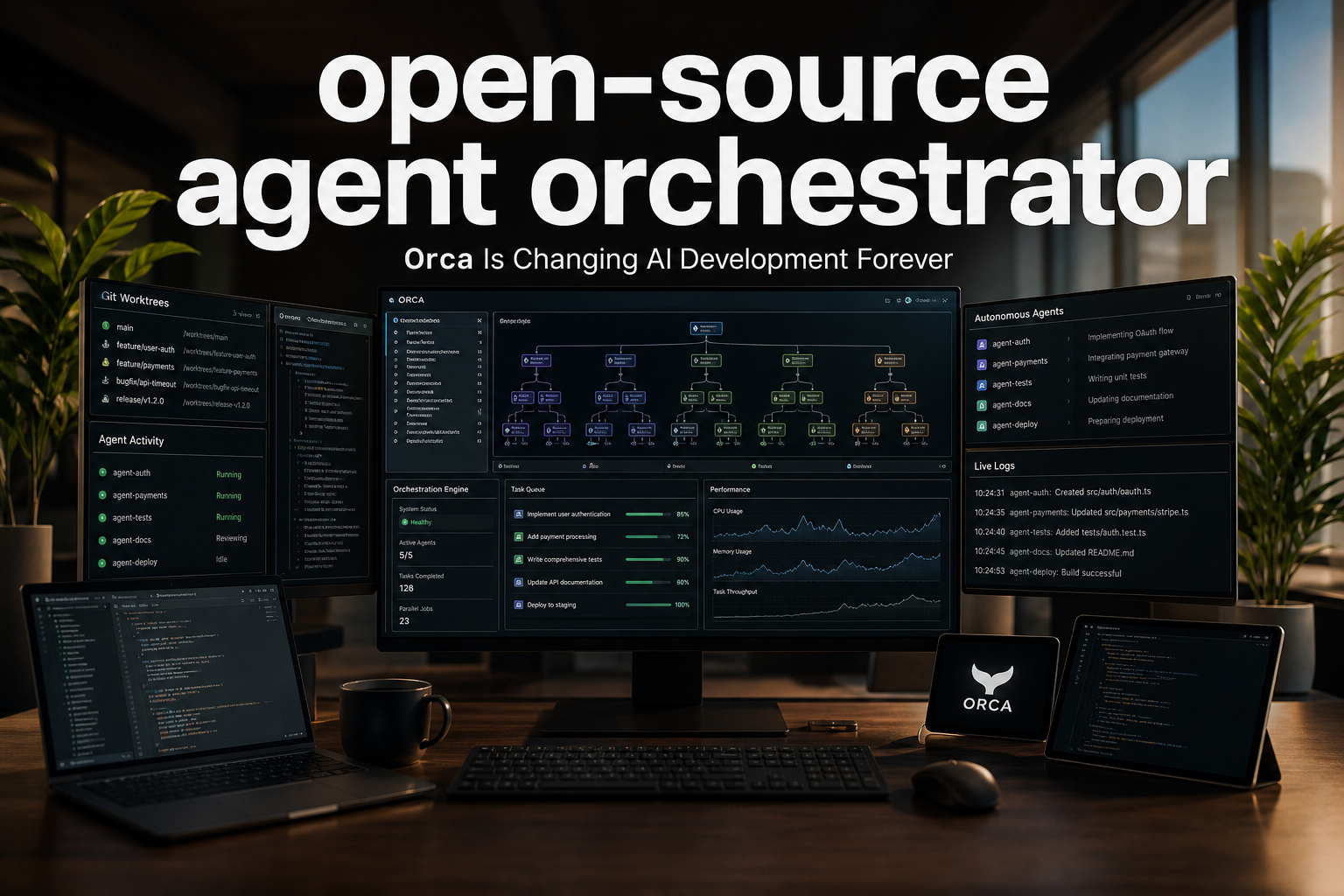

● Orca Orchestrates Multi Agent Development
Why the Open-Source Orchestration Tool Orca Is Rising: What Will Change in Development When Claude Code and Codex AI Agents Run Together
Core Points at a Glance
In this article, I have summarized why Orca is attracting attention,
what the orchestration approach that controls Claude Code and Codex at the same time actually means,
how Git worktree-based parallel development works in practice,
what installation and configuration points matter on Windows, macOS, and Linux,
and how this trend may affect the future of the global economic outlook, AI trends, and productivity innovation.
I will also separately highlight the core point bottlenecks and operational points that truly matter in real-world practice, which are often not covered in other videos or news reports.
Why Orca Is Rising Right Now
Orca is an open-source orchestration tool that allows you to manage multiple AI agents at once
and run multiple tasks in parallel at the same time.
Simply put, when you assign work to agents such as Claude Code or Codex,
it automatically creates independent Git worktrees so that each agent does not interfere with the others.
As a result, developers no longer need to painfully switch between branches and compare everything manually.
Each agent simply completes its own task, and the developer can review the results afterward.
The reason this structure matters is simple.
In the past, “one person working on one task at a time” was the default.
Now, “having multiple AIs solve the same problem at the same time” is becoming the default strategy.
In other words, what matters more than development speed is now the number of experiments and the diversity of solution paths.
From a News Perspective: Orca Is Not Just a Development Tool
Orca’s GitHub currently has around 22,000 stars and is spreading rapidly.
It has already accumulated more than 800 releases, showing how quickly it is being updated.
This means it is not merely a case of “a new tool has appeared.”
Rather, it suggests that the agent development ecosystem itself is moving from the experimental stage into the practical implementation stage.
There is one important point here.
Many people see Orca simply as an “AI coding tool,”
but in reality, it is closer to the concept of an Agent Development Environment, or ADE.
In other words, if an IDE is a human-centered development environment, Orca is an agent-centered development environment.
This difference will become extremely important going forward.
Orca’s 5 Key Takeaway Features
1. Parallel Execution of Multiple Agents
You can run multiple agents at the same time, including Claude Code, Codex, Grok, Cursor, open-source code agents, Hermes, and even the recently popular Kimi family.
You can assign the same problem to multiple AIs and compare their answers,
or divide different features among them to reduce development time.
2. Git Worktree-Based Isolated Execution
Each agent works on a different branch.
This reduces conflicts and allows parallel development to run more reliably.
This is not merely a convenience feature.
It is a structural mechanism that enables large-scale AI collaboration.
3. Mobile Integration
You can start work on a PC and continue monitoring it from mobile while away.
This means you can manage agent work even in remote environments or while on the move.
4. Fast Terminal Splitting and Multi-Tab Operation
You can split terminals into multiple panes and immediately run tasks by agent.
Traditional tools like tmux could also do this, but Orca is different because it was designed with agents in mind from the beginning.
5. Orchestration Skill and CLI
The core point of Orca is ultimately orchestration.
In other words, it does not merely run agents. It also places, distributes, retrieves, and compares their work in one flow.
It can also be controlled through CLI commands, making it a good fit for automated workflows.
The Structure You See on the Actual Screen
Orca’s interface looks like an IDE, but its underlying philosophy is different.
On the left, you see workspaces and projects.
In the center, the actual terminals and agents run.
On the right, the GitHub tree or file structure is displayed.
In other words, it is not a layout centered on human editing.
It is closer to an operations dashboard optimized for agents to work efficiently.
At the bottom, there are also features such as settings, projects, automation, and mobile integration.
Automation is especially useful for triggering tasks at a specific time or in response to a specific event.
Configuration Areas You Must Check
Agent Registration
You can check Claude Code, Codex, and other agents installed on your current PC and designate a default agent.
Account Connection and Usage Tracking
Once you connect an account, you can check token usage, work time, and usage patterns.
This is quite important in real-world work.
As more agents run, you need to monitor both cost and efficiency together.
Integration with GitHub, GitLab, Bitbucket, and Azure DevOps
It covers almost all practical collaboration environments.
In other words, its structure is designed not only for personal projects but also for enterprise workflows.
SSH, Drag-and-Drop, and Voice Input
There are also various ways to execute files, deliver commands, and provide input.
The fact that you can give tasks by voice instead of typing directly into the terminal
shows how much broader AI operations may become in the future.
Usage Points on Windows
In this demo, Orca was run in a Windows environment.
After installation, you first see a three-pane layout.
From there, you add a workspace and connect a local project.
You can open browser, Markdown, CMD, Git, and agent tabs together,
allowing development and validation to happen on the same screen.
The shortcut configuration was especially useful.
For example, if you assign Ctrl+F9 to a new Claude tab
and Ctrl+F10 to a new Codex tab,
you can launch the desired agent immediately as soon as you open the terminal.
This may look minor, but in practice, it creates a meaningful productivity difference.
In AI agent workflows, the biggest waste is often not model performance.
It is the click fatigue of opening, finding, and switching between tools.
Demo 1: Assigning the Same Problem to Claude and Codex at the Same Time
The first demo used a method of assigning the same task to two agents at the same time and comparing the results.
The request was to improve the Hero section of a reference website,
and Orca’s Orchestration Skill created two worktrees.
One side was handled by Claude, and the other side was handled by Codex.
Both received the same prompt, but the results were different.
Claude’s result leaned more toward organizing the design around color tones,
while Codex moved in a direction that expanded the structure and explanatory elements more broadly.
The core point here is not “which one did better.”
What matters is that you can verify the same requirement in two different ways at the same time.
In real-world work, this is huge.
That is because you can compare design, copy, structure, accessibility, and other elements all at once.
Demo 2: Developing Different Features in Parallel
The second demo was more practical.
One task was to build a Newsletter Subscribe feature,
and the other was to create an FAQ section at the same time.
Claude handled the newsletter subscription area,
while Codex created the FAQ component.
After the work was completed, each result was reviewed,
then merged into the Preview branch and reflected on the actual screen.
The advantage of this approach is clear.
Because different features are developed at the same time, lead time becomes shorter.
And since each agent works independently, conflict risk is also reduced.
How Orca Changes the Nature of Development
The interesting thing about this tool is not simply that it “runs multiple AIs.”
The real change is that the operating system of development itself is changing.
Previously, developers had to manually split branches,
manage merge conflicts,
and compare each result by hand.
But Orca standardizes this process at the agent level.
In other words, humans no longer have to do every task directly.
Instead, they can focus on defining problems and reviewing results.
This is a major shift for developers, team leaders, and startups alike.
That is because the standard of productivity is no longer “how fast you write code.”
It is shifting toward how many attempts you can run simultaneously and reliably.
The Most Important Points Often Missed by Other News Coverage
First, the core point of parallel AI is not speed, but comparability.
Many people focus only on the idea that it is “twice as fast,”
but what matters more in practice is that you can secure different solutions at the same time.
This applies not only to development but also to strategy, planning, and marketing copy testing.
Second, the bottleneck in the AI agent era is not the model, but orchestration.
Even if there are many good models,
productivity will not increase significantly without a system for distributing work and retrieving results.
In the future, competition is likely to depend less on “which model was used”
and more on who manages agents more efficiently.
Third, Open Source plus Multi-Agent workflows lower the barrier to enterprise adoption.
Open source means community speed.
Fast releases and frequent feature improvements mean
the market validation and feedback loop is extremely fast.
This speed will ultimately influence enterprise adoption decisions as well.
Fourth, AI trends are now moving from generative AI to operational AI.
Previously, what mattered was “what it can create.”
Now, “how it can move multiple things at the same time” matters more.
Orca is a representative example of this operational AI shift.
Connecting This to the Global Economic Outlook
This trend is not merely a story about development tools.
Companies around the world are still under pressure from three factors: labor costs, time, and quality.
In this context, AI agent orchestration becomes a tool that reduces costs while increasing the number of experiments.
In other words, in the global economy going forward,
productivity improvement,
digital transformation,
cloud and edge collaboration,
AI automation,
and developer productivity tools are likely to move together.
In this environment, AI infrastructure, collaboration platforms, development tools, and business automation solutions
will all move as one connected market.
That is why tools like Orca should not be seen merely as coding assistants.
They can be viewed as an infrastructure layer that changes the work standards of the AI economy.
Who Should Definitely Try It
1. Front-End and Full-Stack Developers
It is useful when experimenting with multiple versions of the same UI or developing features separately.
2. Startup CTOs and Tech Leads
It is highly effective when a small team needs to run more experiments.
3. Planners and PMs Who Frequently Run AI Experiments
It is good for testing copy, structure, and screen flows in parallel.
4. Automation-Centered Organizations
It fits teams that want to standardize and repeatedly operate agent-based work.
In Summary, Orca Is This Kind of Tool
Orca is an open-source orchestration tool that coordinates multiple AI agents at once,
enables parallel development based on Git worktrees,
and allows agents such as Claude Code and Codex to run simultaneously on different branches.
What matters especially is that this tool does not merely increase development speed.
It changes the operating model of AI collaboration itself.
AI trends are likely to move beyond “conversational assistance”
and toward the division of labor and coordination among agents.
Tools like Orca are at the starting point of that shift.
< Summary >
Orca is an open-source orchestration tool that coordinates multiple AI agents such as Claude Code and Codex at the same time.
Its strengths include Git worktree-based parallel development, mobile integration, CLI automation, and GitHub/GitLab integration.
You can assign the same task to multiple agents for comparison or develop different features simultaneously.
The core point is not speed, but comparability and a change in the operating system of development.
AI trends are now moving beyond generation and toward orchestration-centered workflows.
[Related Articles…]
AI Agents and the Future of Developer Productivity
Orchestration as the Future of AI Collaboration
*Source: techyoo
Leave a Reply